Customize the chat widget
The embeddable chat widget is configured entirely from the dashboard: turn it on, style it, set its behavior and business hours, then copy one snippet into your site.
1. Enable and embed
Open Chat Widget under Settings. On the Install tab, turn on Enable Live Chat. The other tabs stay hidden until it is on. Once you save your widget settings, the Embed Code block gives you a snippet to paste into your site; Copy puts it on your clipboard.
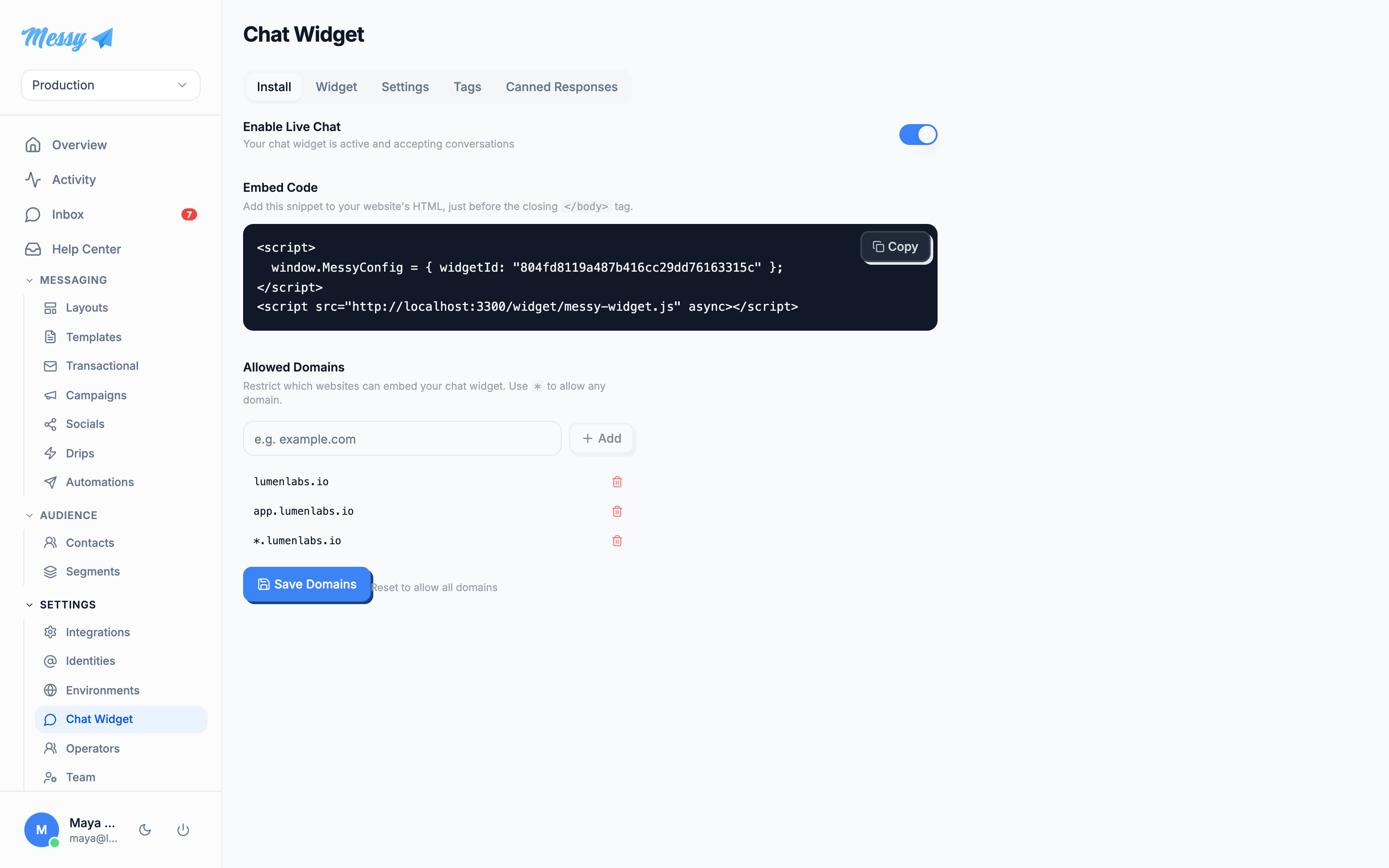

Optionally restrict where the widget may load with Allowed Domains; leave it as * to allow any.
2. Style it
The Widget tab is a form with a live preview beside it. Set the widget title, upload a logo and header/chat backgrounds, and set the theme, chat-window and chat-bubble colors. The preview updates as you go. Click Save Settings.
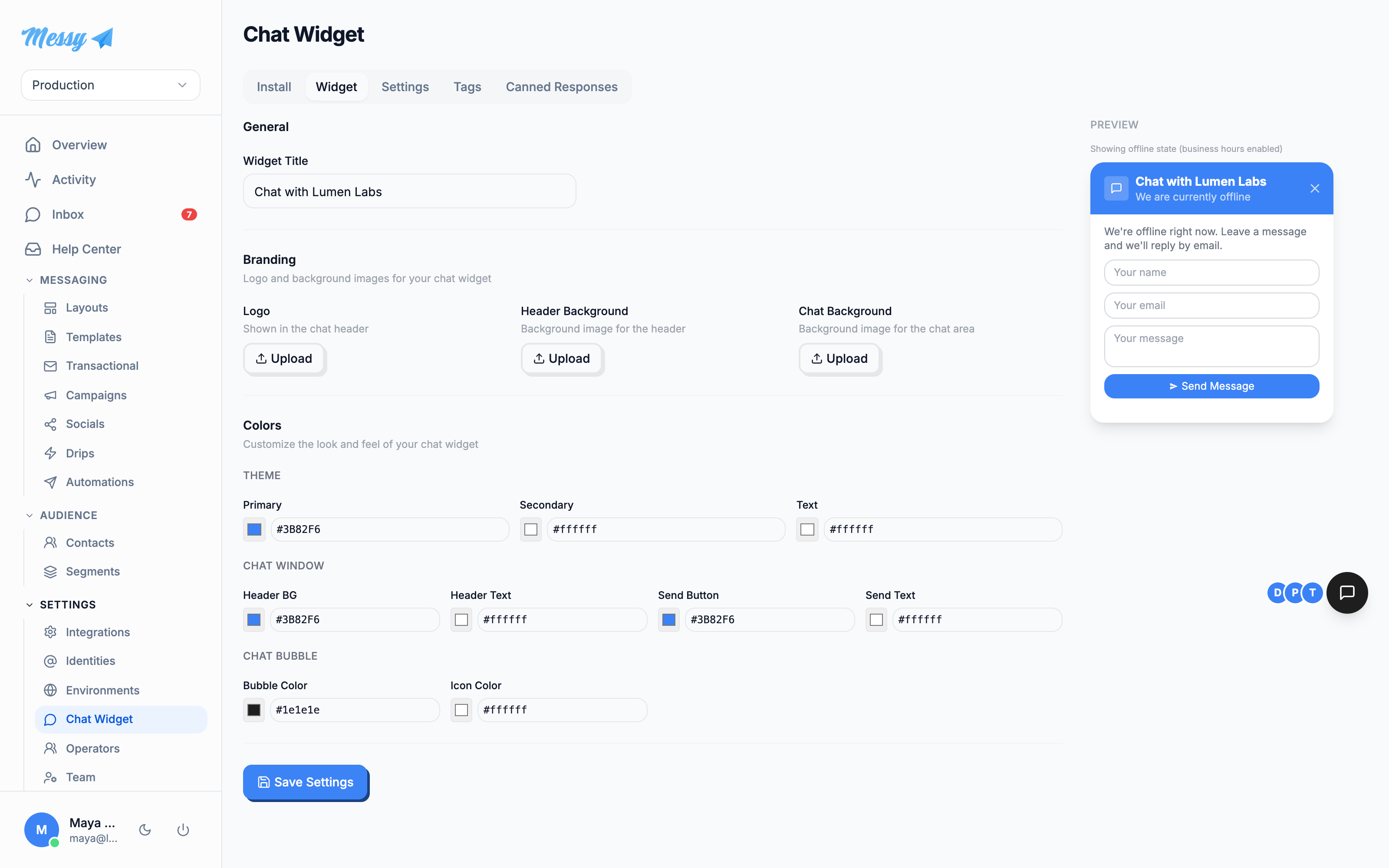
3. Set behavior and hours
The Settings tab controls behavior: require an email before chat, show operator avatars and online count, and auto-close idle conversations after N hours. Set the greeting and offline messages, and define business hours per day with a timezone, so visitors see the offline form outside them.
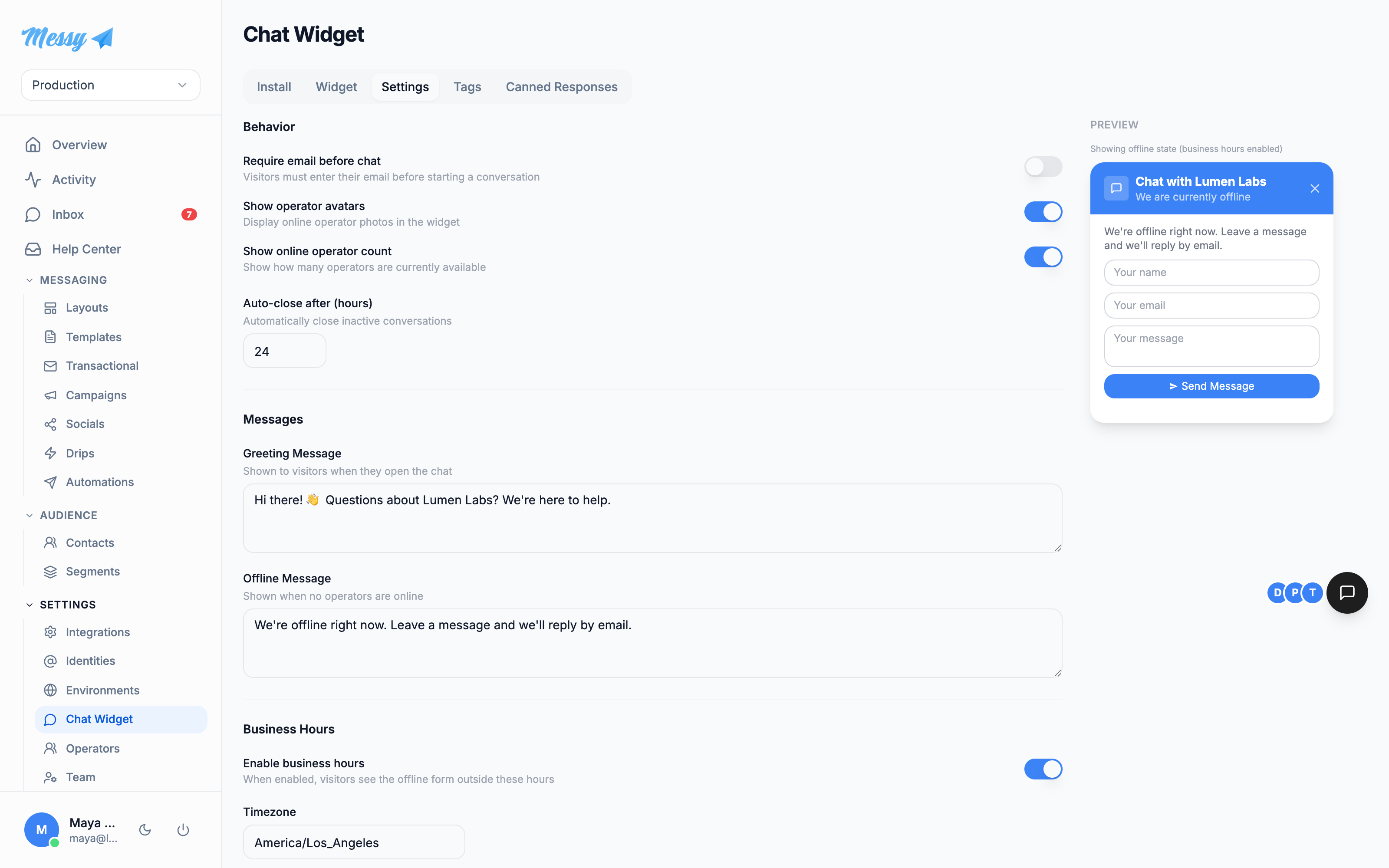
Tags and Canned Responses tabs manage the labels and saved replies your team uses in the shared inbox.Customization options
| Field | Type | Description |
|---|---|---|
Enable Live Chat | install | Master switch; enables the other tabs and the embed code. |
Allowed Domains | install | Domains the widget may load on. * allows any. |
Widget Title | widget | Heading shown in the chat header. |
Branding images | widget | Logo, header background and chat background uploads. |
Colors | widget | Theme, chat-window and chat-bubble colors. |
Require email before chat | settings | Capture a visitor email before the conversation starts. |
Operator avatars / count | settings | Show who is online and how many operators are available. |
Auto-close after (hours) | settings | Automatically close idle conversations. |
Greeting / Offline message | settings | What visitors see on open, and when no operator is online. |
Business hours + timezone | settings | Per-day schedule; outside it, visitors get the offline form. |