Shared inbox
Every reply to your messages, plus chat-widget conversations, lands in one shared inbox. Triage with assignment, tags, canned responses and status, from a three-pane view.
Layout
Open Inbox. Three panes: the conversation list on the left, the thread in the middle, and a context panel on the right. Filter the list by source (All, Chat, Email), by operator scope (all, unassigned, or yours), and by status (Open, Resolved, Closed). Search is debounced across everything.
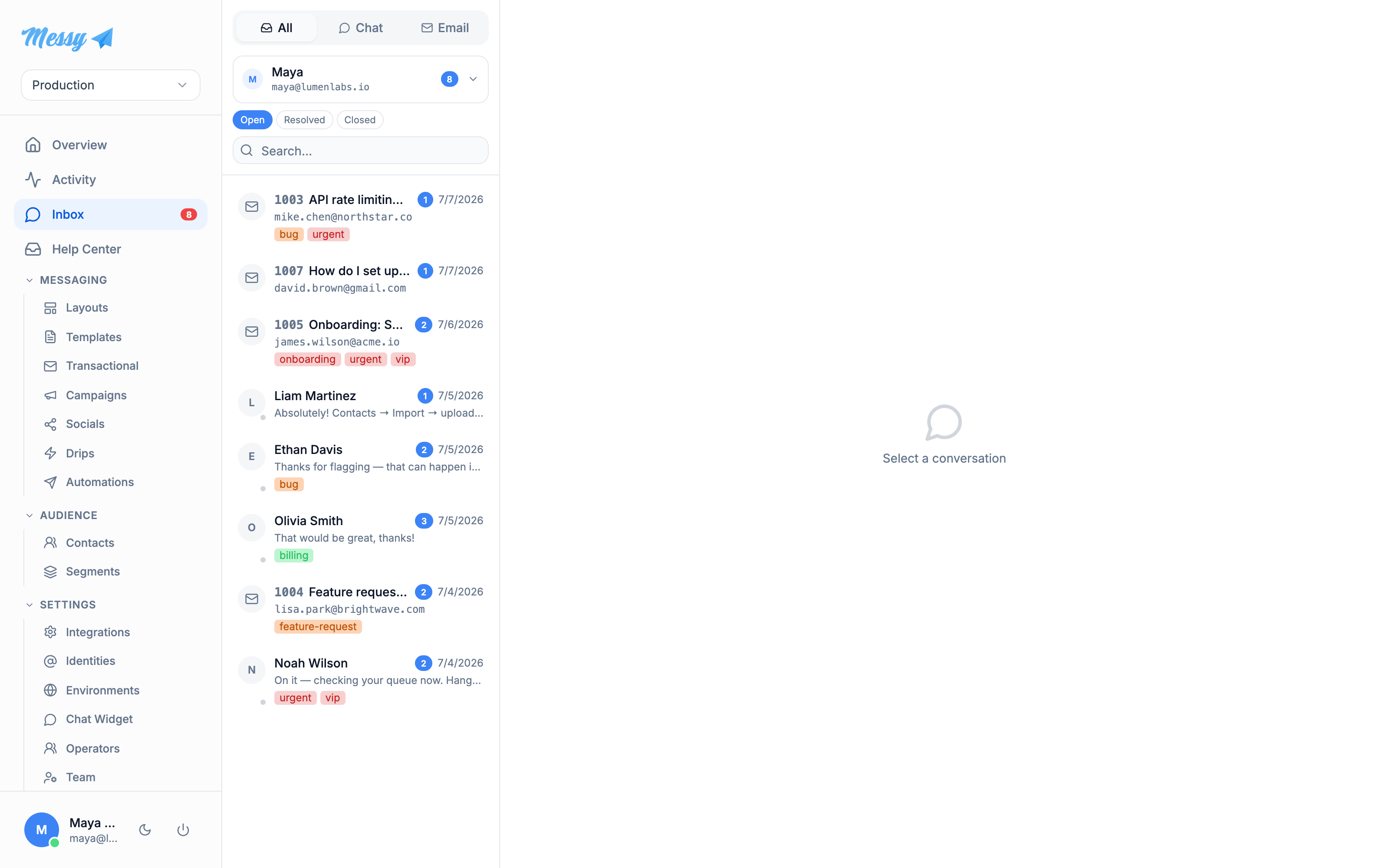
1. Open a conversation
Click a conversation to load the thread; it is marked read automatically. The right panel shows the ticket number and status, the sender (name, email, country, browser), any CC, recent pages the visitor viewed, tags, and their CSAT rating if they left one.
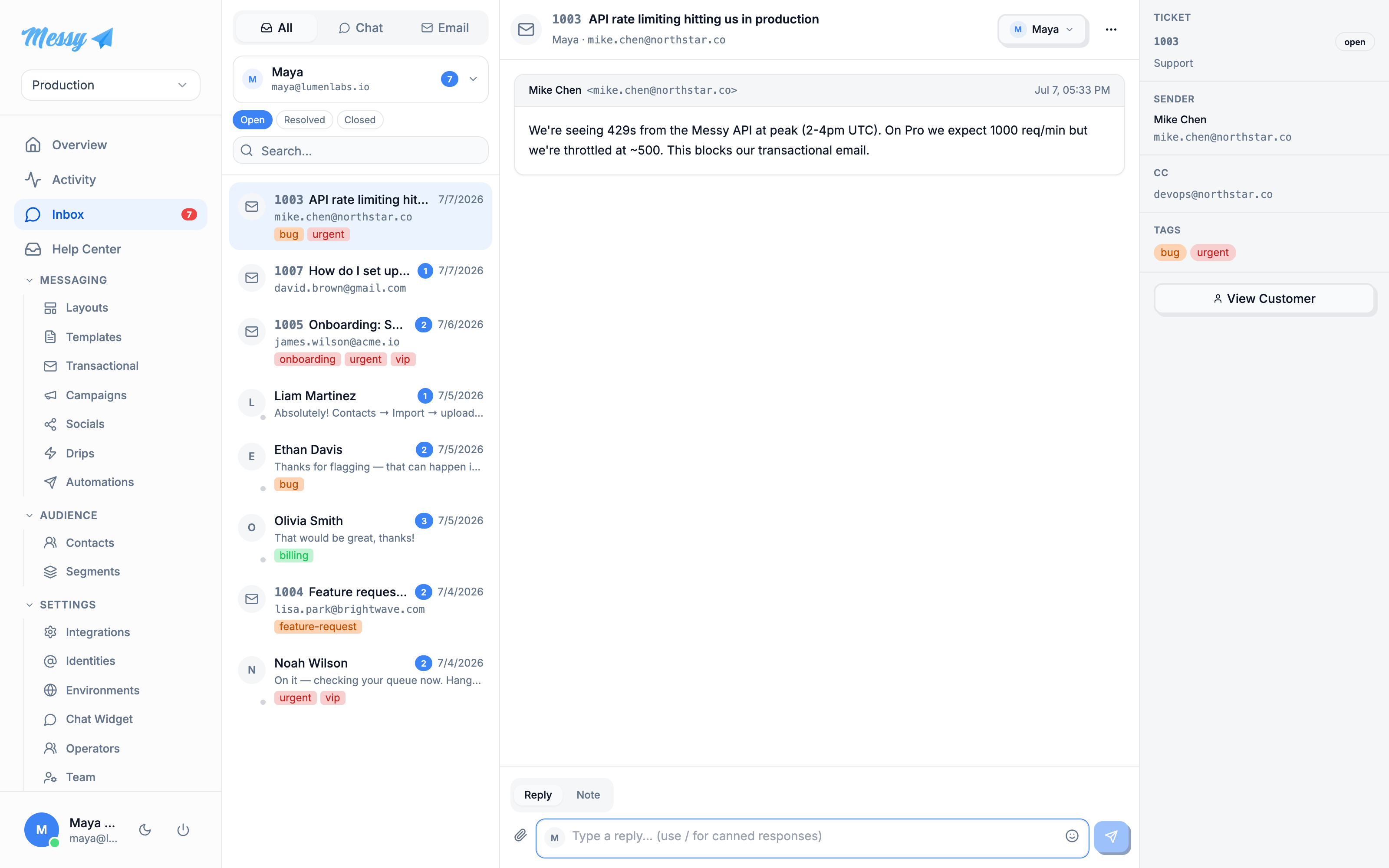
2. Assign and reply
The Assign dropdown in the thread header routes the conversation to an operator, who is notified. The composer has a Reply tab and a private Note tab for internal notes. Type / in the composer to insert a canned response by shortcut; arrow keys navigate the list, Enter inserts.
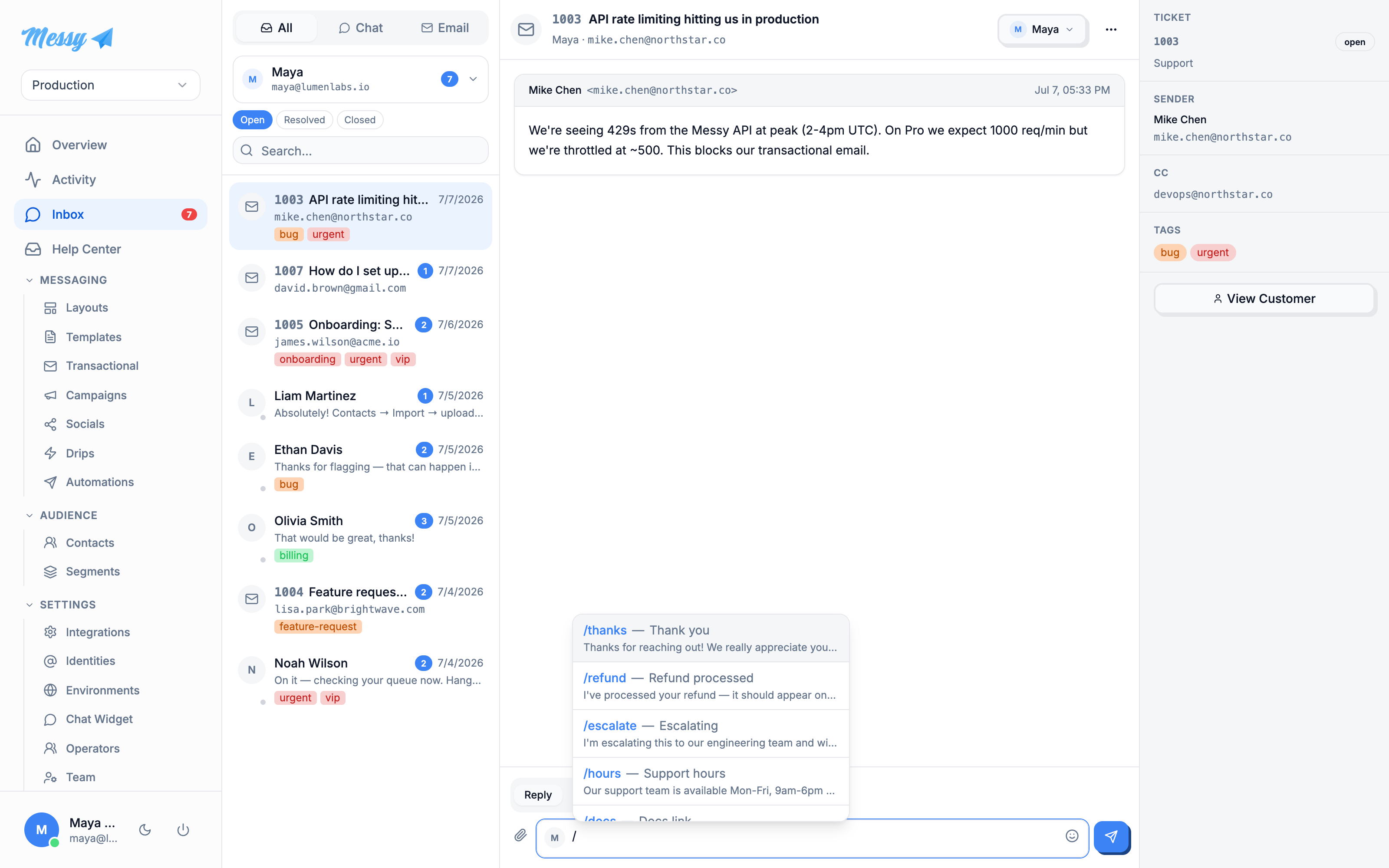
3. Resolve
The actions menu (the … button) resolves, closes, reopens, or marks a conversation unread. Resolving or closing returns you to the list.
Customization options
| Field | Type | Description |
|---|---|---|
Source filter | inbox | All, Chat (widget) or Email. |
Assignment scope | inbox | All operators, Unassigned, or assigned to you. |
Status filter | inbox | Open, Resolved or Closed. |
Assign | conversation | Route to an operator, who is emailed a notification. |
Reply vs Note | conversation | A customer-facing reply, or a private internal note. |
Canned responses | conversation | Insert a saved reply by typing / then its shortcut. |
Status actions | conversation | Resolve, Close, Reopen, or Mark as unread. |
Tags & rating | conversation | Tags shown on the ticket; CSAT rating is submitted by the visitor via the widget. |