Drip automation
A drip is an automated sequence triggered when a customer enters a segment. Build it on a visual canvas: messages with delays and conditions between them, running per enrolled customer.
The drip list
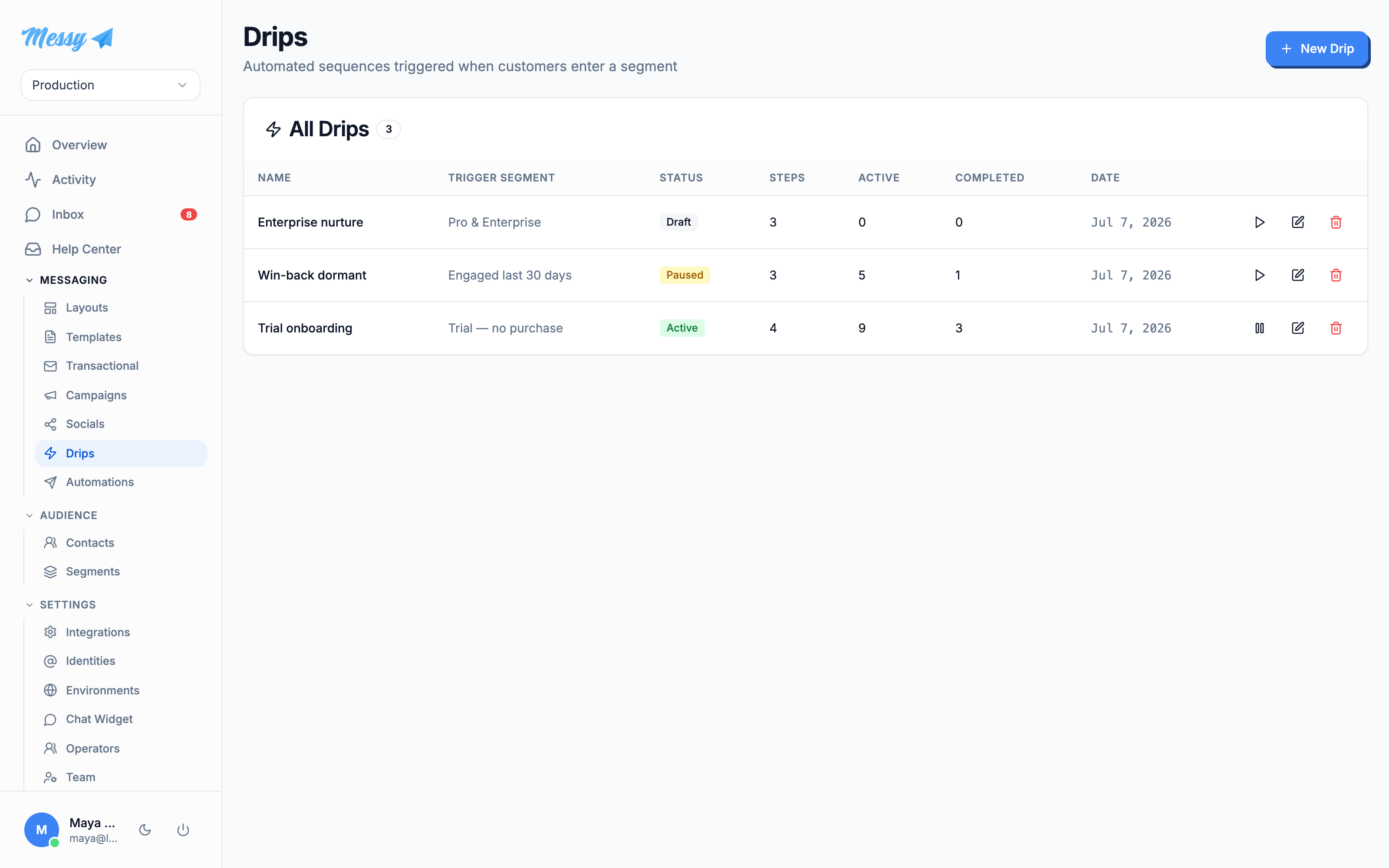
Open Drips under Messaging. Each drip shows its trigger segment, status, step count and how many customers are active or completed.
1. Set up the drip
Click New Drip. Name it and choose the trigger segment, the segment whose members get enrolled. Decide whether to enroll everyone already in the segment plus future entrants, or only people who enter from now on. Two toggles govern the lifecycle: Exit when leaving segment (stop the drip if they no longer match) and Allow re-entry. Save to open the designer.
2. Design the sequence
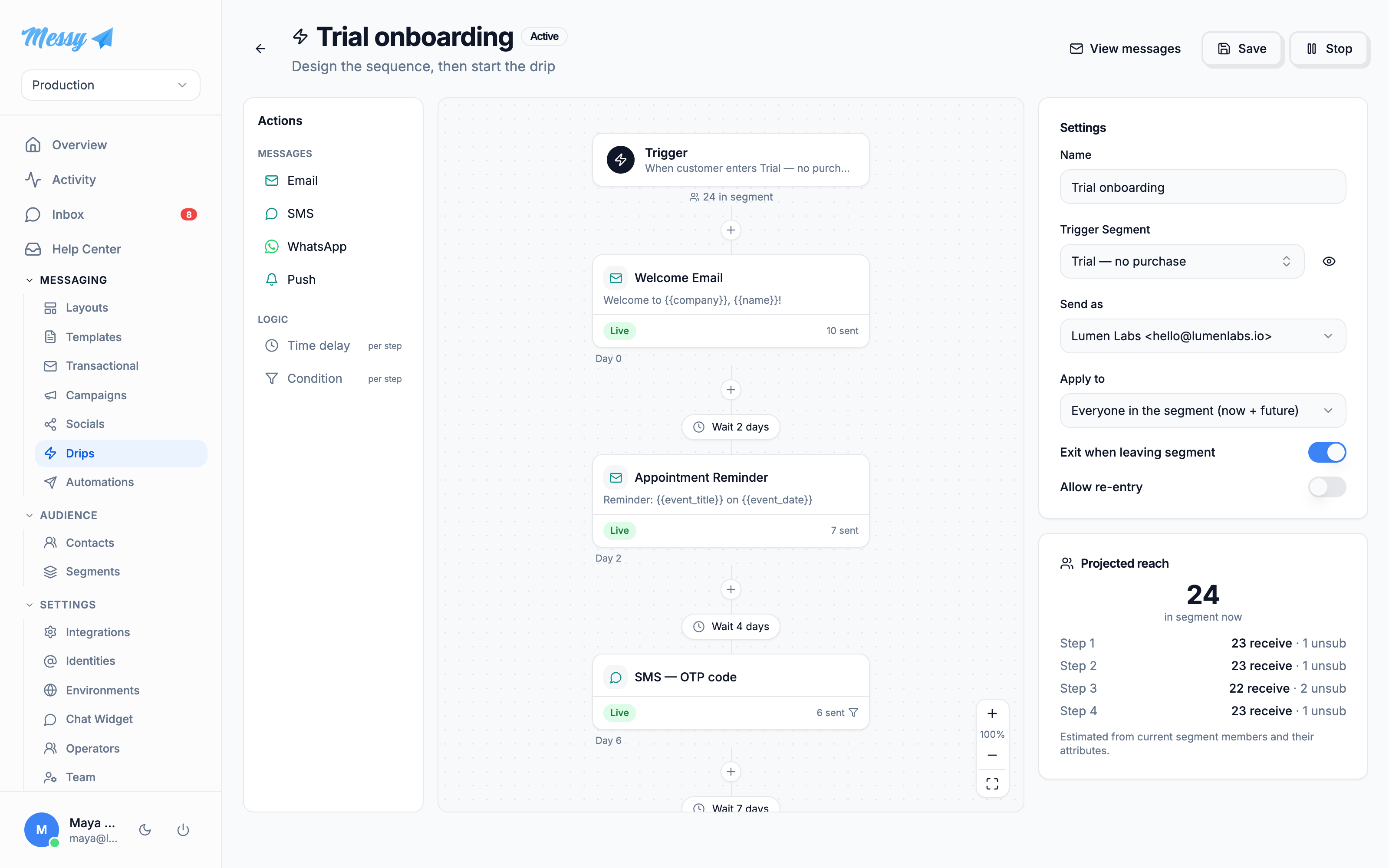
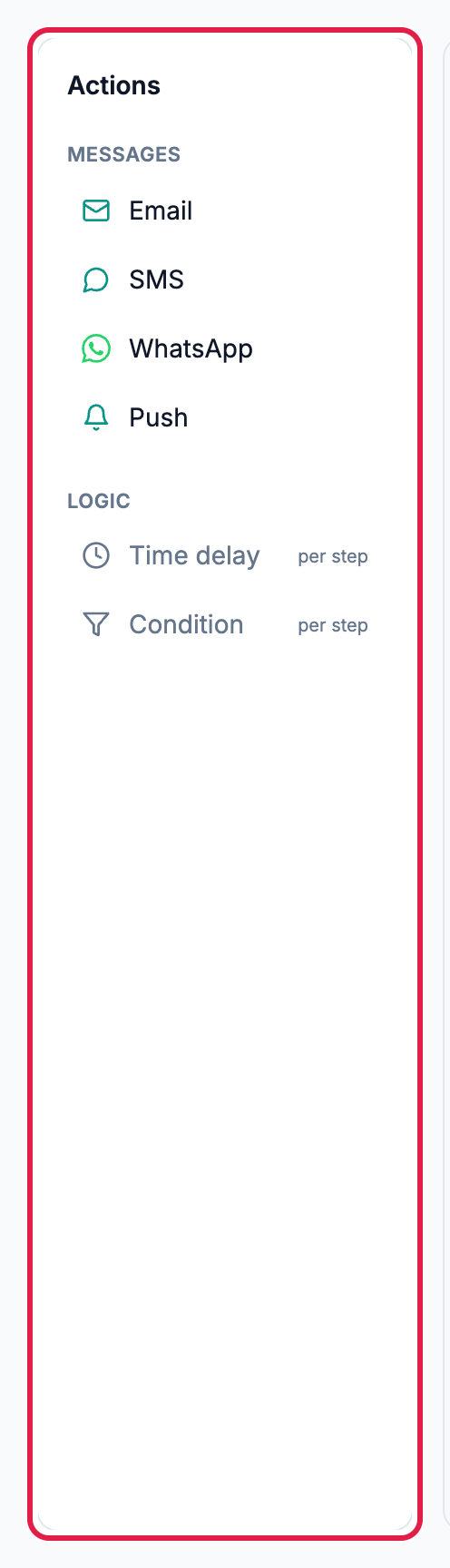
The designer is three columns: an Actions palette, the canvas, and an inspector. The canvas always starts with a Trigger node (“when customer enters the segment”) and ends with an End node. Add a message step by clicking a channel in the palette or the + button between nodes.
3. Configure each step
Click a step to open its inspector. Choose the channel and template, set Send after (days) (the delay is counted from the previous message actually sent), and optionally add an Only send if condition. If the condition is not met you choose whether to skip the step or exit the drip.
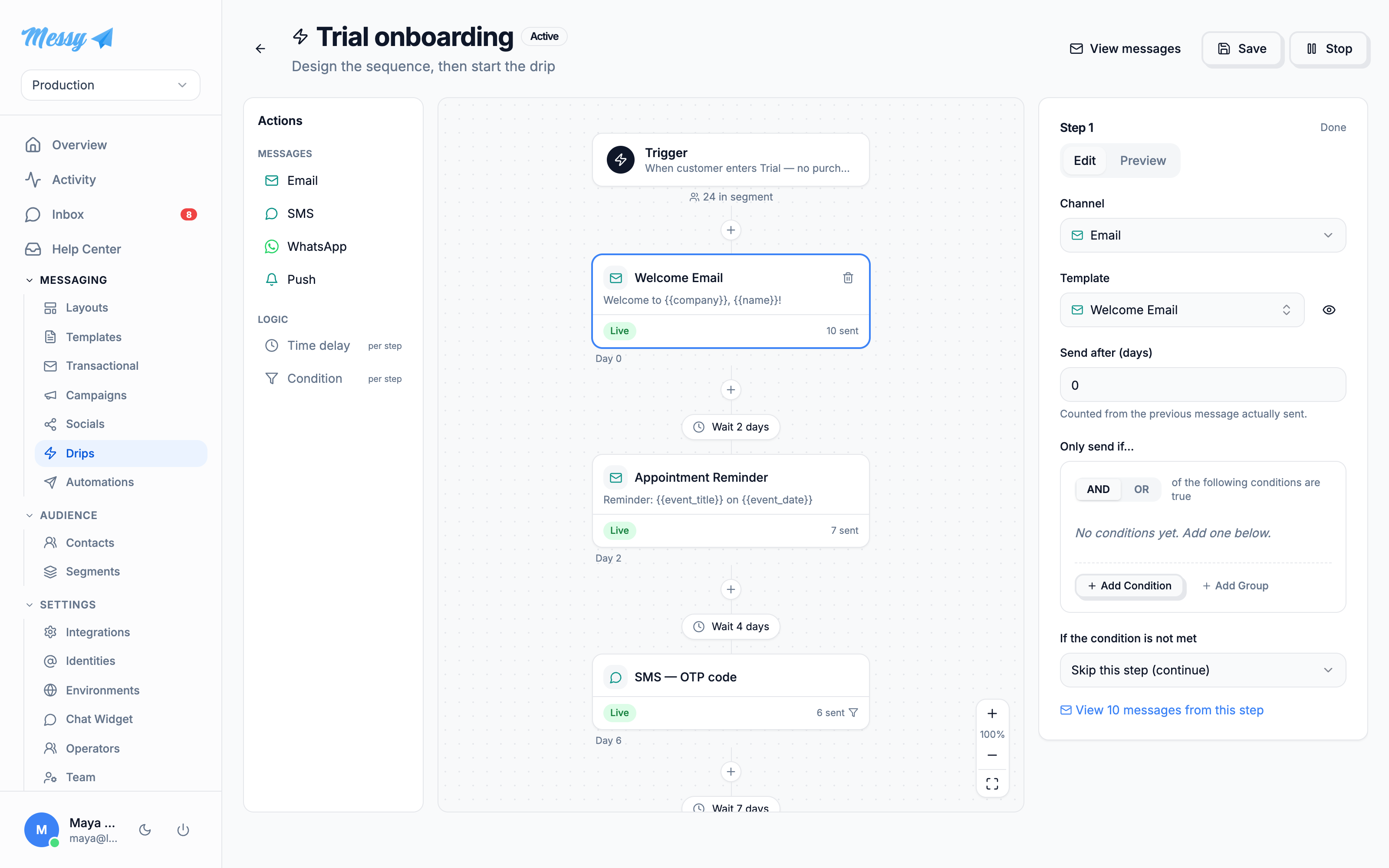
The Projected reach panel estimates, from current segment members, how many will receive, skip or unsubscribe at each step.
4. Activate
Click Save, then Start drip and confirm. Every step needs a template before it will save, and email steps must include an unsubscribe link. Once active the button becomes Stop to pause it.
Customization options
| Field | Type | Description |
|---|---|---|
Trigger Segment | drip | Segment whose entry enrolls a customer. Required. |
Apply to | drip | Enroll existing members now + future entrants, or only new entrants. |
Send as | drip | Sending identity for the drip, or the channel default. |
Exit when leaving segment | drip | Stop the sequence if the customer no longer matches the segment. |
Allow re-entry | drip | Let a customer run the drip again if they re-enter the segment. |
Channel + Template | step | One message per step, template filtered to the chosen channel. |
Send after (days) | step | Delay before this step, counted from the previous message sent. Days only. |
Only send if | step | Optional condition; skip the step or exit the drip when unmet. |