Delivery rules
Delivery rules decide, per recipient, whether a message is delivered, blocked or redirected before it reaches a provider. They are how you keep test traffic away from real customers.
The rules list
Open Automations under Messaging. Each rule shows its channel, condition, outcome and whether it is active, with a count of active rules. Rules are evaluated first-match-wins within their environment.
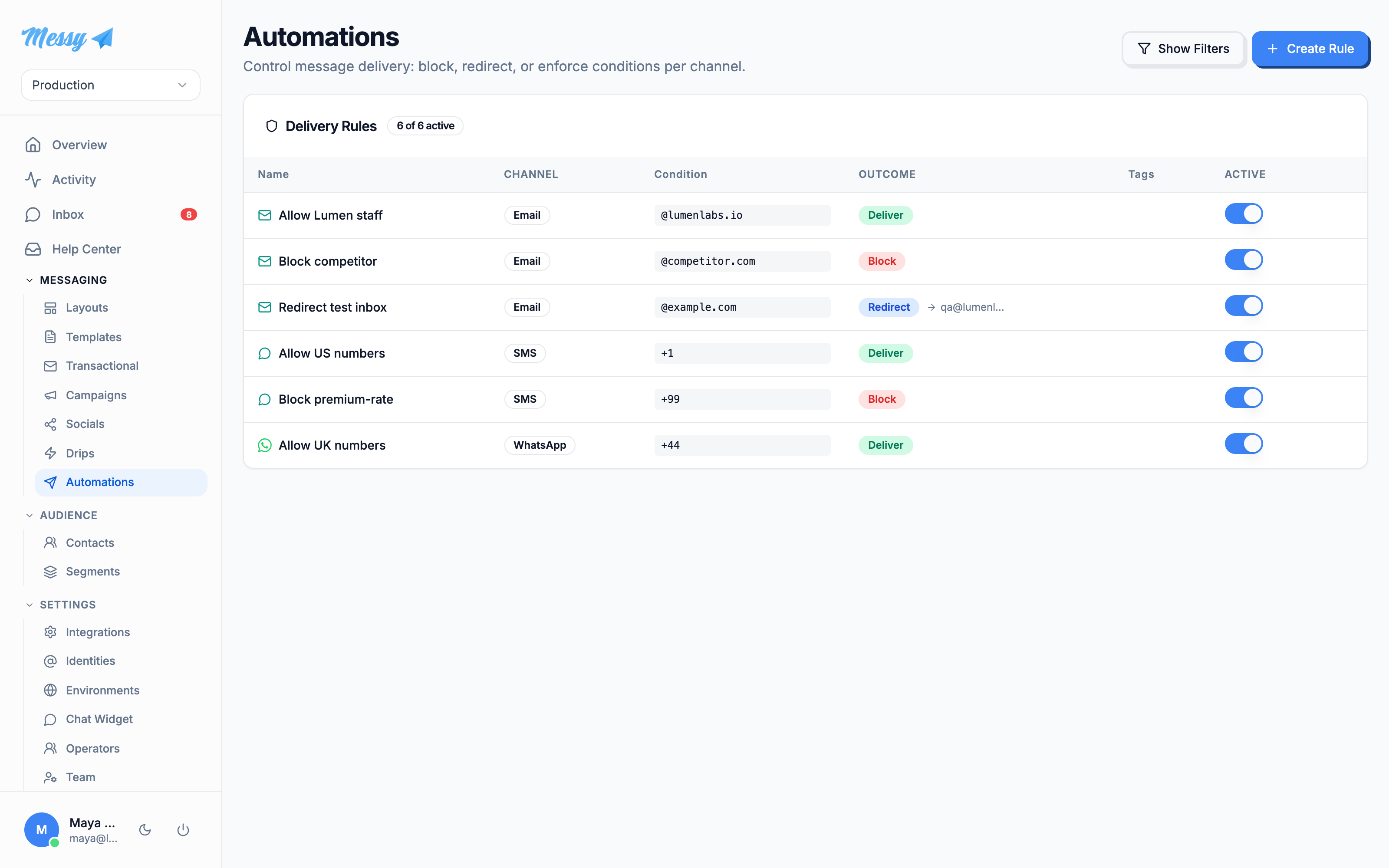
1. Create a rule
Click Create Rule. Name it, pick the channel it applies to, and choose the environment it belongs to. Optionally add tags for filtering (tags have no delivery effect).
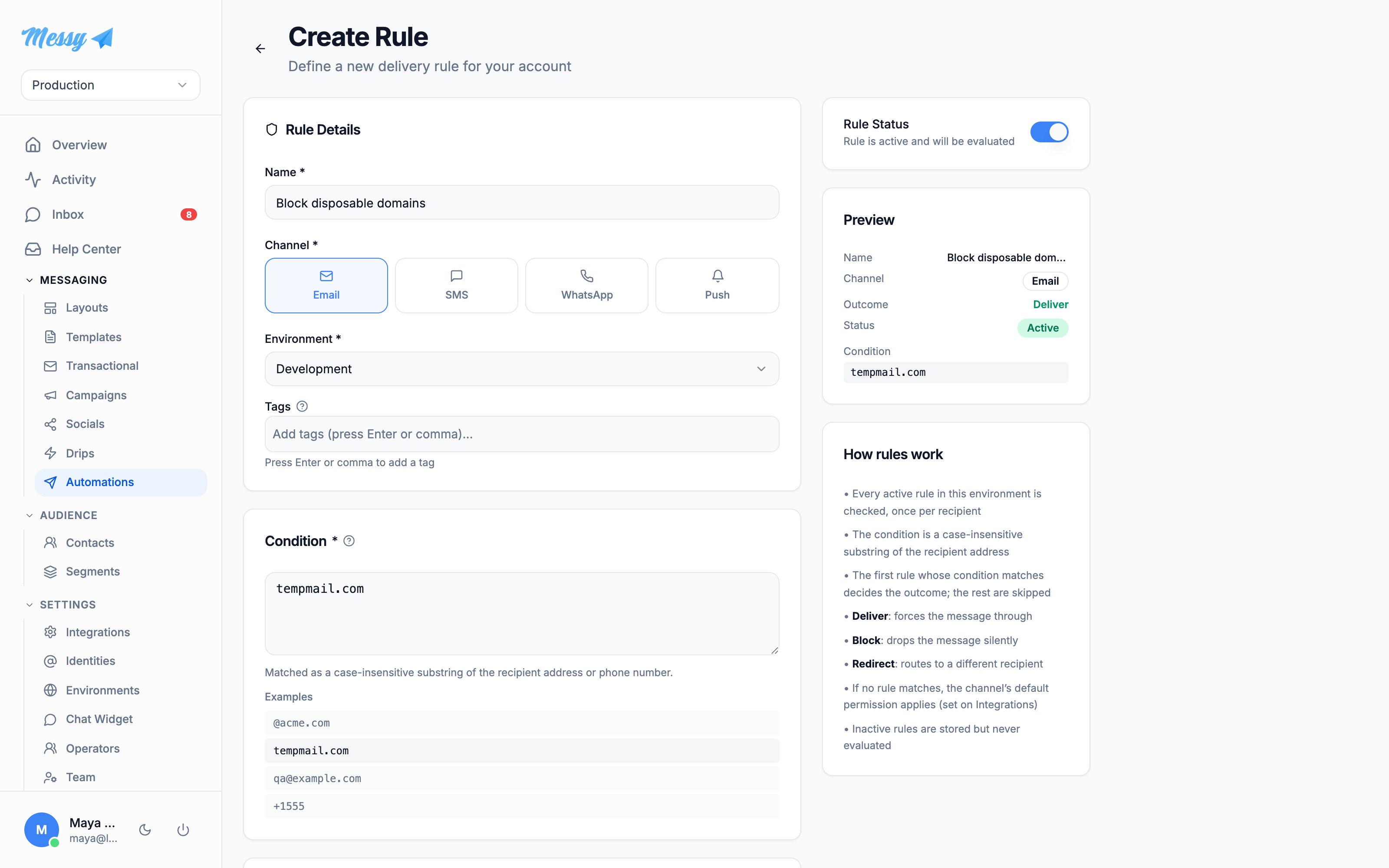
2. Condition and outcome
The Condition is a case-insensitive substring matched against the recipient address or number: @acme.com, tempmail.com, +1555. Then pick an outcome:
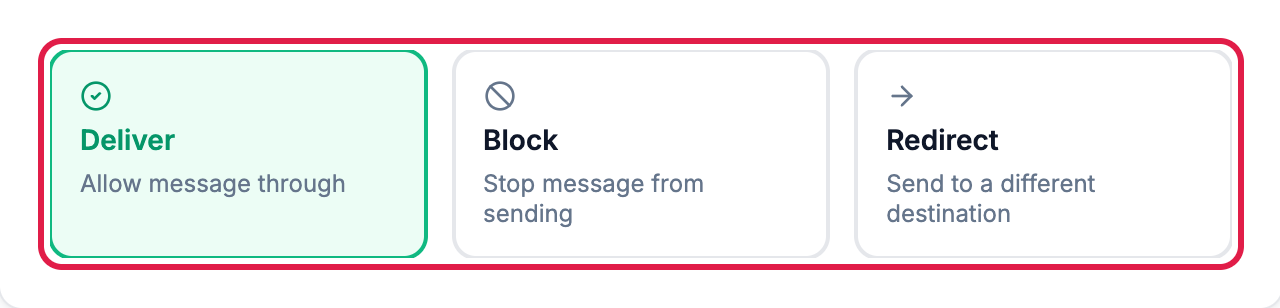
- Deliver: force the message through.
- Block: drop it silently.
- Redirect: send it to a different address or number instead (you supply the destination).
Save with Create Rule. Toggle a rule active or inactive without deleting it from the list or the editor sidebar.
Customization options
| Field | Type | Description |
|---|---|---|
Channel | rule | Email, SMS, WhatsApp or Push. The rule only applies to that channel. |
Environment | rule | Scopes the rule to one environment. Rules are evaluated within their environment only. |
Condition | rule | Case-insensitive substring matched against the recipient address or number. |
Outcome | rule | Deliver (force through), Block (drop), or Redirect (reroute elsewhere). |
Redirect destination | rule | Where a redirected message goes. Required when the outcome is Redirect. |
Tags | rule | Free-form labels for filtering the list. No delivery effect. |
Active | rule | Active rules are evaluated; inactive ones are stored but skipped. |